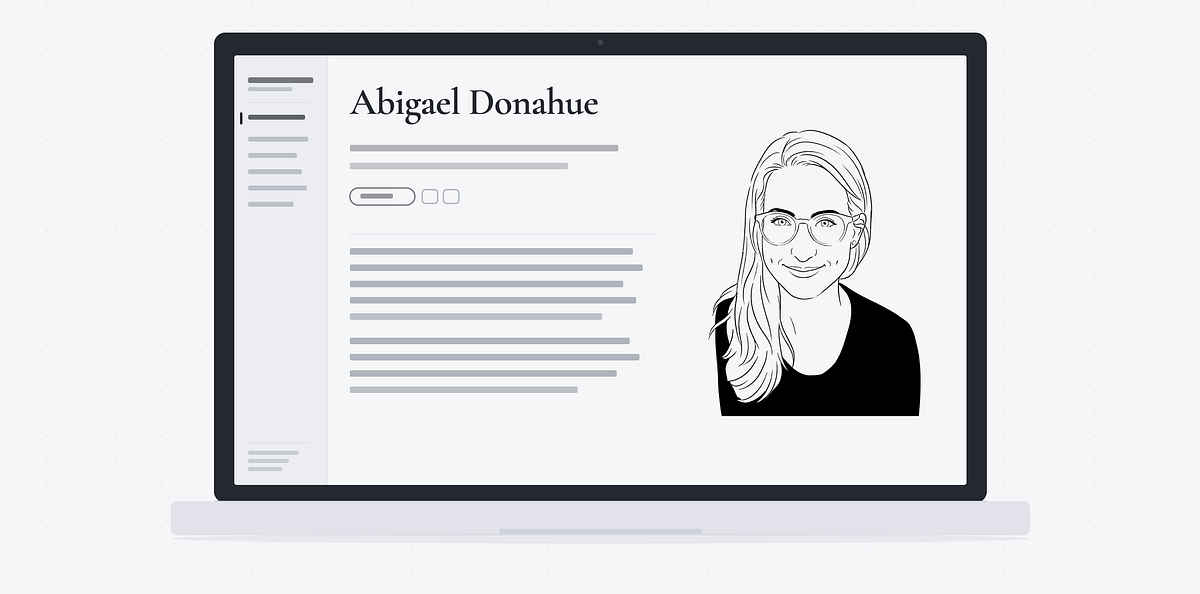
Abigael Donahue
Leading global design teams, defining agile operating models, & transforming AI-driven UX
Hi, I'm Abi. I lead enterprise design in a variety of different facets, ranging from people management and AI-driven operations to agile delivery and cross-functional strategy. I'm energized by building stakeholder relationships, optimizing team execution, and all-things AI. I do my best work in collaborative environments where creativity meets the latest technology.
I vibe coded this portfolio with Claude. I enjoy tinkering with different AI tools and building new things in new ways. With that said, I also love writing — so while Claude wrote the code, I wrote the words.

Skills
Tools
Known for
Work
-
Global Manager, UX Design
-
Associate Global Manager, UX Design
-
Senior UX Content Strategist
-
Content Manager
-
Technical Writer
-
Technical Support Specialist
-
Marketing / Proposal Coordinator
Education
-
Google UX Design Certification
-
Bachelor of Arts, English
Publications
Building my UX leadership portfolio with Claude: Tips, takeaways, & lessons learned
Building your STEM career on fiction books
UX writing: The 5 W's of microcopy
Cross-functional influence
Effective cross-functional relationships unlock business potential. By partnering with Product Management and Engineering, I position designers to think beyond individual screens and drive impact at the strategic level. Navigating ambiguity, creating cohesion across disciplines, and surfacing UX opportunity is where I thrive. Across every team I lead, I have a knack for turning scattered stakeholder input into focused strategic priorities.
Strategic stakeholder connections
Meaningful conversations between UX leaders and product management/engineering stakeholders weren't documented, shared, or synthesized. This led to missed opportunities to identify UX impact areas.
In collaboration with the UX leaders, I established a repeatable approach for organized, strategic stakeholder connections. This plan included defined points of contact, conversation documentation practices, and AI-automated analysis of all conversations to surface business-driven UX opportunities.
By uncovering prominent business needs through AI analysis of 40+ stakeholder conversations, I identified 3 major cross-cutting efforts for designers to take on and drive strategic value for the organization.
I mapped Product Management and Engineering points of contact across the enterprise platform to identify existing touchpoints and relationship gaps.
I outlined the current state of stakeholder connections and the ideal state. I worked with the UX leaders to determine who should meet with whom, based on our leadership pillars: Manager, Team Lead, and Architect.
Each UX leader conducted the designated stakeholder meetings on a regular cadence and recorded notes with Gemini. I ran all notes through Gemini to pull out strategic themes from each conversation.
I curated a collection of strategic themes and ran it through Gemini to surface patterns and recurring topics across the 40+ conversations.
I partnered with UX Research to pull existing customer data on the identified topics. I then worked with stakeholders to narrow down the list to the top 3 topics.
Designers were assigned to those top areas, driving maximum business impact and building trust with our stakeholders — their strategic insights led to UX action.
Agile leadership
Agile combines some of the things I enjoy most — organization and structure paired with teamwork and transparency. I take the same people-first approach to agile leadership as I do to design leadership. I have my design team help shape our agile practice, and I find a balance between our UX sprint cycles and the unique agile practices of the various product groups we work in with stakeholders. As my organization matured its agile delivery, I optimized the entire practice with AI.
Beyond design, my agile practice reflects a broader pattern in how I lead: building operating rhythms and hygiene practices that keep a growing organization accountable. This is something I've done for my own teams and across wider departments, too.
Enterprise agile transformation
Designers were working across various product groups without a unified project management practice. This created bandwidth limitations, unclear strategic impact, and ambiguous prioritization.
I directed the team's adoption of agile design. Under my leadership, designers transitioned to 3-week sprints and followed a consistent Jira practice for planning, scoping, and tracking all design work.
Metrics after 1 quarter of agile:
- 97% of all Jira stories were scoped with story points and activity types.
- 78% of design stories were linked to epics, significantly reducing orphaned stories.
- Over 50% of all design work linked up to the strategic product feature level in Jira.
I led an effort with UX leaders to define and document our UX design process. The process outlined how designers approach their work, from prioritization to implementation.
To ensure the design process was built by and for the design team, I ran a design process pilot. Designers followed the process in their everyday work and shared feedback to inform iterations. Gradual, consistent communication of the process enabled smooth adoption across the team.
I partnered with my manager to deliver a team presentation about our planned adoption of agile. This introduced upcoming agile ceremonies and Jira expectations, along with the benefits of agile. Designers gained insight into not only what agile is, but also why it benefits them.
I created team resources about key agile concepts and Jira requirements so designers could get familiar with agile design leading up to our adoption. I released a series of Slack announcements to build anticipation for sprint planning, and I circulated the materials across other UX groups to establish consistency in our UX Design department's agile onboarding approach.
Day 1 of agile kicked off with sprint planning. Working out of a Jira backlog and sprint board, I led each designer to identify which stories they could prioritize in a 3-week window. Over time, regular agile ceremonies and sprint reports uncovered ideal story point and carryover baselines so designers were equipped to determine their workload balance and plan capacity with their partnering product managers and engineers.
I met with other managers across the UX Design department to help them with their agile roll-outs. My onboarding materials were used to create a Cursor rule for the entire UX Design department, enabling all design teams to adopt agile with my approach.
"Abi seamlessly stepped up as the agile leader our team needed. She's done an incredible job herding cats to anchor our team with better processes, workflows, and an agile mindset."
AI-optimized agile delivery
As the agile leader for a broad organization of 18+ designers and researchers, there wasn't a quick way to manually keep tabs on our Jira issues and provide coaching to the team rooted in our specific agile gaps.
I created several Cursor skills to automate workflows and strengthen agile alignment at scale.
Metrics after 3 sprints of AI optimization:
- Sprint closeout increased from 79% to 97%.
- Hygiene alignment increased from 30% to 85%.
- Over 80 stale issues were closed and removed from the backlog.
After a few sprints passed, I paid attention to the gaps in our agile alignment and where AI automation in the form of Cursor skills could help the team mature in our practice.
To pinpoint exactly what we needed from the Cursor skills, I defined the current state and where I wanted to help the team improve. Specifically, I saw opportunity for us to mature in the following agile areas:
- Reducing carryover (stories carrying over sprint to sprint) for more accurate and predictable delivery estimates
- Improving Jira hygiene for more accurate metrics around workload, resourcing, and product impact
- Reducing stale backlog issues for better visibility into potential priorities
Now that I had the areas defined, I knew exactly what I wanted each Cursor skill to do.
Designers were forgetting to close their Jira stories at the end of each sprint. As a result, stories were either unnecessarily carried over into the next sprint, or we spent time reviewing these stories and closing them as a team during sprint planning. This cut into valuable planning and discussion time.

Cursor skill
- Using the Slack and Atlassian MCPs, I created a skill to identify all open Jira stories 1 day before sprint close.
- A Slack message was sent to each assignee of the open stories, along with links to the stories for quick access.
- The automated Slack message reminded recipients that the sprint was about to close. It explained that all completed stories needed to be closed and that stories still in progress could be left open. However, if stories were going to remain open and carry over into the next sprint, then this needed to be discussed at sprint planning.
79% → 97%
Sprint closeout increase
Several Jira stories and epics were slipping through the cracks when it came to Jira hygiene, such as proper labeling, status updates, and scoping. However, due to the volume of Jira issues, manual monitoring wasn't feasible.

Cursor skill
- Using the Google and Atlassian MCPs in Cursor, I created a skill to audit all Jira stories (and associated epics) in each sprint after sprint close.
- The Cursor skill evaluated each Jira issue's hygiene compliance and published the audit to a Google Document.
- I used the hygiene findings to pinpoint where the hygiene gaps were and provide more targeted coaching to the team.
30% → 85%
Hygiene alignment increase
After years without a shared agile practice to manage the team's work, I noticed that there were hundreds of issues sitting in our backlog. Many of them were several years old and obsolete. This created a cluttered backlog, making it harder for researchers and designers to identify relevant work that needed refinement as they determined prioritization with their product groups.

Cursor skill
- Using the Google and Atlassian MCPs in Cursor, I created a skill to audit the entire backlog and publish the results to a Google Sheet.
- The audit spreadsheet provided a high-level overview of everything in the backlog, organized by product area, creation date, sprint assignment, and more.
- Cursor closed all stories older than 90 days and all epics older than 200 days that didn't have any open stories.
- After the initial clean sweep, I set up automation rules in Jira to regularly monitor the backlog and close stale issues.
> 80
Stale issues closed
I created generic versions of each skill and published them to a shared repo used by 130+ people in the UX Design department. This enabled other leaders to adopt my skills into their own agile workflows.
AI-driven design
AI is changing what it means to be a UX designer. I see this as an exciting opportunity to automate the repetitive tasks and lean into what a designer does best: solving customer problems. With AI analyzing large datasets and creating screens, we can now spend more time on tasks that are remarkably human.
I get the privilege of leading designers through this defining moment in technology history. As a leader, I recognize that transformative situations like this bring energy and enthusiasm as well as a touch of uncertainty and apprehension. I meet my designers where they are, and I lead with clarity, collaboration, and empathy. I set an example for my team to embrace change, remain flexible, and treat ambiguity as opportunity.
Designers knew AI had the potential to enhance their design workflows, but they lacked clarity on where to start and how to integrate it.
I set quarterly AI goals to gradually increase my team's AI usage, starting with LLMs (Gemini, NotebookLM) and moving to AI-generated prototyping with Cursor, Claude, and Figma Make.
100% of my direct reports met the quarterly AI goals, establishing a current-day workflow where all prototypes are created with AI and designers contribute directly to product codebases.
Intentional AI: Principles & process
I ground my AI leadership in human-first principles, positioning my designers to amplify (not replace) their design craft with AI:
- AI to accelerate, not decide
- AI to automate, not empathize
- AI to suggest, not finalize
I see AI-driven design as an iceberg. The smallest part is the tangible artifact: the prototype. The largest part is what's underneath: design craft. This is where the true design magic happens, and all of it requires a human designer. By using AI to automate the tip of the iceberg, designers can lean even deeper into the human-driven strategic work underneath.

To keep my design team's AI adoption intentional, I lead with my principles and anchor AI usage in our design process. This involves thinking critically about which parts of the design process AI can expedite versus which parts are best handled by humans. Here is a snapshot (not a complete list) of what I came up with:
 Delegate to AI
|
 Leave with humans
|
|---|---|
|
|
AI adoption: Clarity, collaboration, & empathy
Leading AI adoption

Creating clarity
Clarity builds trust.

Cultivating collaboration
Common goals bring people together.

Leading with empathy
Shared expectations establish unity.
I shared specific AI goals for designers to work towards, broken down to achievable quarterly milestones. This positioned them to adopt AI in meaningful ways and build proficiency with various tools.
I made AI adoption a team sport, something everyone could get excited about. I connected designers who could help each other upskill, and I identified opportunities for designers to present their AI work and gain visibility for their contributions.
I kept Product Management and Engineering stakeholders informed of our evolving AI-driven design practice and regularly collected feedback. They appreciated the increased design delivery speed and the ability to see their ideas rapidly incorporated into prototypes. I also partnered with Engineering to get designers contributing to product codebases. This was a win-win: Designers took their AI prototypes further, and engineers spent less time fixing bugs and more time on complex implementation work.
As a manager, I held myself to the same AI usage expectations set for my designers:
- I embraced AI-enabled rapid prototyping myself, creating designs with Cursor, Claude, and Figma Make. This way, I could provide guidance rooted in first-hand experience.
- I partnered with design teams across the department to release a unified set of AI principles and policies. This created cross-team alignment in our AI approach.
- I created Cursor skills to automate workflows and adopted LLMs into my everyday operations. I shared my approaches with the broader design department so others could increase their efficiency with AI.
Organizational design
I create design teams where none existed before. I also transform design teams into entirely new functions. People are a company's strongest asset, and I make it my job to position them for success. It all comes down to how we can best serve the business, the product, and the customer.
Throughout my management career, I've led designers across disciplines, from visual and design system to UX content and currently enterprise UX product design.
Defining roles & responsibilities for an enterprise product design org
After a major reorganization, shifting working dynamics led to ambiguous responsibilities and collaboration challenges among a team of enterprise product designers and researchers.
I led an effort to define and implement a team structure document and a RACI model (Responsible, Accountable, Consulted, and Informed).
I established roles and responsibilities across 18+ designers and researchers, leading to clear ownership for all initiatives and effective collaboration practices.


As a manager who newly entered the product space after the reorganization, I talked with all team members to develop an understanding of existing roles.
Through several exploratory conversations and my own observations, I identified what was working well in terms of responsibilities and where overlap or ambiguity existed.
I partnered with the UX leaders to document the team structure. This included clearly defined team functions, groups, and focus areas.
After the team structure document was created, I led the development of a RACI model with the UX leaders. This granular model put our team structure document into context, defining specific tasks and the level of involvement for each role across those tasks.
To communicate the team structure and roles/responsibilities, I delivered a presentation with my manager at a team all-hands. This gave everyone the opportunity to dive deeper into the new structure's nuances and ask questions.
I extended this effort to other UX groups within the UX Design department, enabling several managers to create team structure documents and RACI models for their respective teams. This positioned the entire department to establish the same level of role clarity for their teams that I did for mine.
"Abi has been a fantastic partner to collaborate with. During the RACI review, she excelled at fostering communication between us through Slack messages and meetings. I appreciated her open approach to our alignment discussions, which effectively bridged any gaps."
Building & scaling a design system team
When I first became a manager, I inherited a highly talented yet under-utilized visual design team. Additionally, the company's design system lacked dedicated design resourcing.
I transformed the visual design team into the company's first design team for its design system — the foundation of the product portfolio.
I led my design team to land a major visual release, bringing a refreshed brand identity, motion design, and dark theme to an entire portfolio of enterprise products. I also increased team headcount to secure needed design resourcing for the design system's continued growth.
I observed a strict divide between visual and interaction designers, which wasn't conducive to the success of the business or the people. After all, product designers should be — and often are — skilled in both disciplines.
I also observed an opportunity to freshen up the visual experience of both the design system and the product portfolio. This opportunity became more salient when I conducted a lightweight competitive analysis to look at design systems across similar enterprise companies.
I wanted my direct reports to have a voice in team direction. I spoke with each of them and listened intently to what they had to say about their role and the team's function. All of them were very enthusiastic about the opportunity to support the design system full time. They also didn't even like the title "visual designer," feeling it undersold their multifaceted design abilities.
I also ensured I had full support from my manager as well as the UX front-end development team that was currently running the design system. Those impactful, highly skilled front-end developers had been dealing with the impact of limited design resourcing for a while, relying on product designers to volunteer their time on rare occasions when bandwidth allowed.
To make a business case for repositioning the visual design team, I needed convincing data. Specifically, I wanted to uncover how the design system's lack of design resourcing impacted products and customers. I spoke with numerous product management stakeholders who worked on the most business-critical areas of the enterprise product portfolio. I also partnered with UX researchers to uncover any existing customer insights around the look, feel, and function of the products.
Top requests from stakeholders & customers
Visual refresh
Modern, cutting-edge visuals
Motion design
Animated elements for interaction clarity
Dark theme
Dark theme for accessibility
The insights I collected supported my initial observations around design system opportunities. There was an appetite for a refreshed, cutting-edge visual experience, especially from Product Management — this was flagged as essential to keep our products competitive in the market. Both internal stakeholders and customers had a strong appetite for animation and important accessibility features such as dark theme. Dark theme surfaced as a consistent request in customer data, as our user base was largely engineering professionals.
In addition to Product Management collaboration, I worked with the design system's front-end development team to ensure that engineering leaders across the portfolio were willing to support the technical lift required to adopt an eventual major visual release.
I used my collected data and insights to develop a business case for senior-level leaders. I made two proposals in my business case presentation:
- Transform the visual design team into our first design team dedicated to the design system.
- Hire additional designers to round out the design system team.
While I didn't get the headcount (at first), I did get the green light to officially launch the company's first design team for the design system.
In a little over a year, I led my designers to land a major visual release, in partnership with the design system's front-end development team. This major visual release introduced dark theme, motion design, and a refreshed visual brand identity for the products.


After demonstrating the business impact of the team, I secured additional design headcount to expand the team and ensure the continued evolution of the design system — and the entire enterprise product portfolio.
Design sample
Case study
Cleaning Cal mobile app
Persona & storyboardsWorking professionals with limited free time.
Housekeeping duties take up what limited free time these busy working professionals have. However, finding a housekeeper aligned with their cleaning needs and schedules is difficult and time consuming.
Provide an easy, intuitive way to find housekeepers on demand who can provide the specific services when and how the user needs them.


Planning the user flow

Journey map
Plan the user actions and app flow. Consider the user's feelings at each step and optimize the experience accordingly.

Wireframe
Create a rough outline of the flow by sketching wireframes by hand. Create the digital version in Figma.

Low-fi prototype
Use the digital wireframe to build a low-fidelity Figma prototype for user testing.

I treat UX research as a flywheel — user needs will evolve, and the design can always be better. With that in mind, I capped this project at 2 usability studies. The first study tested my low-fi prototype and informed its iterations. I then collected asynchronous feedback through design reviews to inform my hi-fi prototype. The second study tested my hi-fi prototype and informed its iterations before finalizing the mobile app.
Research plan
Define the research goals, methodology, script, participants, and success metrics.
Usability study
Run the user study with each participant. Document all observations, including tasks, click paths, quotes, and ease scores.
Affinity map
Create a Miro affinity map to analyze the data, surface themes and insights, and determine design iterations.
Iterations
Make design changes based on user feedback.

Add an account creation flow.

Provide a profile to store user information.

Redesign the housekeeper search list to show several condensed profiles, and add a calendar for booking.

Replace the sidebar menu with a mobile-friendly nav hub.
Add an option for users to search for housekeepers as a guest.

Collect home details from the user, including square footage.

Collect the user's cleaning needs and home details before they search for housekeepers.

Show the pricing model and projected cost before showing the housekeeper list.
Add a loading screen with a progress bar and information on how the search works.
Surface housekeepers who align with the user's cleaning needs and home details.

Move the user CTA, “Book,” from the bottom of the page to the top of the page.

In the booking wizard, show condensed information on the “Review” step.
Give complete transparency into pricing and commitment before the booking process begins. Setting expectations early with the user ensures they truly want to proceed with the process.
Sharing personal information requires trust. Let the user interact with the product and hold off on account creation until they're ready to book.
Make the user feel like the product knows them. Show a general home page for new users and a personalized home page for existing users.
Accessibility goes beyond color contrast and clear communication. Make mobile app buttons thumb-friendly as well as accessible for those without the use of their hands.


Recommendations
I had the privilege of having Abi in my organization at Red Hat during a remarkable period of growth, watching her evolve from a high-impact, team-of-one individual contributor into an exceptional design leader. From early on, her ability to connect design and content strategy directly to business outcomes set her apart.
Abi built our content design practice from the ground up before stepping up to lead product design for a major area of our enterprise portfolio. Beyond her design craft, she is an outstanding communicator and presenter who effortlessly navigates complex stakeholder relationships. She's also a natural mentor and people manager who genuinely excels at developing talent.
Abi brings a rare combination of strategic vision, commercial sharpness, and team leadership. If you're looking for a design leader who understands business impact just as deeply as product design, Abi is as good as it gets.
Abigael is extremely conscientious when it comes to her work. When I needed things done, she got it done — thoroughly and quickly. She has a track record of excelling at anything she sets out to do.
Abi consistently creates a thoughtful, organized, and psychologically safe environment for our team. She communicates with clarity, brings strong ideas to the table, and helps bridge connections across people and workstreams. Her regular check-ins and intentional focus on priorities, processes, and people have had a positive impact on how the team operates and collaborates.
Abi has been amazing to work with. She brings so much value to any team that she's part of. Obviously the user experience is so much better with her contributions, but she has a way of encouraging collaboration among team members that also results in a better user experience and better overall communication among team members. I'm so grateful to have the opportunity to work with Abi.
Abi brings amazing and friendly energy to everything she does and is always there for her team as a human first, not just a manager. Her ability to balance structure with genuine empathy is notable, and we are a much stronger, more aligned team today because of her constant support and guidance.
I've watched her take on new challenges with aplomb and professionalism, managing both projects and people to the greater benefit of HubSpot Academy. Plus she's just a joy to work with – fun, funny, and full of great ideas. I welcome any opportunity to collaborate with Abi and I hope that is something we'll be able to do together throughout her career.
She is one of the few people I've worked with who is 100% focused on acting, sounding, and being professional at all times. Abigael also has an incredible work ethic. She works in a clear, focused, and dedicated manner from beginning to end.
Managing a team through many technical initiatives while maintaining a supportive, high-trust culture is a complex task, and Abi does it with grace. Her biggest strengths are her empathetic leadership style, her trust-building approach to delegation, and how effectively she advocates for her team. Abi goes out of her way to shed light on the UX work her team is doing, ensuring her designers' efforts get the visibility and recognition they deserve across the broader org.
Abi is also great at giving her team structure and direction without micromanaging (e.g., by promoting specific Jira practices). She provides clear guidance when her designers need it but gives them the freedom and room to take real ownership of their projects. She creates a space where her team feels backed up, safe to ask questions, and motivated to do their best work.
Abi has done an awesome job transitioning into a management role and continuing my stretch of great managers. She has been patient, encouraging, and active in helping me push my career forward and blaze my own trail within our organization. Her advice on leadership has been essential for my own development in my role leading the visual design team.
Abi consistently reminds me of my role and encourages me to expand it–not just for my own success, but also for the UX team and the overall success of the product team. Abi encourages open communication, actively listens to our ideas and concerns, and acts as a facilitator between team members to provide constructive feedback without judgment. This approach makes everyone feel valued and comfortable sharing their perspectives, which strengthens our collaboration and creativity.
For each ask, she elevates the UI content to a higher standard no matter the project's caliber. Her assistance has been commended on from other teams, as she has been instrumental in aligning fellow writers and engineers to a single vision. The resources Abi provides are so valuable that she has become a staple to include on all customer-facing projects.
She has a natural knack for forging and cultivating cross-team connections. She's gone above and beyond to make sure teammates (including myself!) feel seen, heard, and valued not only as Red Hat contributors, but as people.
Awards
Nominated for Red Hat’s Exceptional Manager Award, recognizing managers who connect their team’s priorities to business strategy and embody Red Hat’s values.
1 of 16 women selected across Red Hat’s 300+ Engineering org to participate in ELA, a professional program for high-potential women in technical engineering roles.
Featured as an inspirational woman in STEM and tech, sharing my 5 leadership lessons learned throughout my career.

Recognized for leading UX teams, building effective cross-team collaboration, and developing direct reports.
Recognized for top performance in technical support.
Recognized for academic distinction, including a Rhodes Scholar nomination and the Partridge Award (English major with the highest GPA).